Deployed walkthrough: data platform
- Audience: Data engineering, analytics, and technology stakeholders
- Duration: 10-15 minutes
- Data: Synthetic
Use this page after the deployed walkthrough overview to show how Microsoft Fabric orchestrates, transforms, stores, and queries the retail data.
Representative screenshots
A deployed workspace can lag behind the repository. Use the current checked-in notebooks and schema contracts as the authority for exact behavior and field names.
1. Show pipeline orchestration
Open the Pipelines folder. Use the deployed pipelines to explain how notebooks are grouped into repeatable operations:
historical-data-loadcreates the durable historical foundation.streaming-data-loadruns Silver transformation before Gold aggregation.ml-requiredruns the six Reporting producers (including market-basket mining and promotion/elasticity analysis) and contract validator.ml-optionalandml-experimentalisolate full-demo extensions after Reporting.
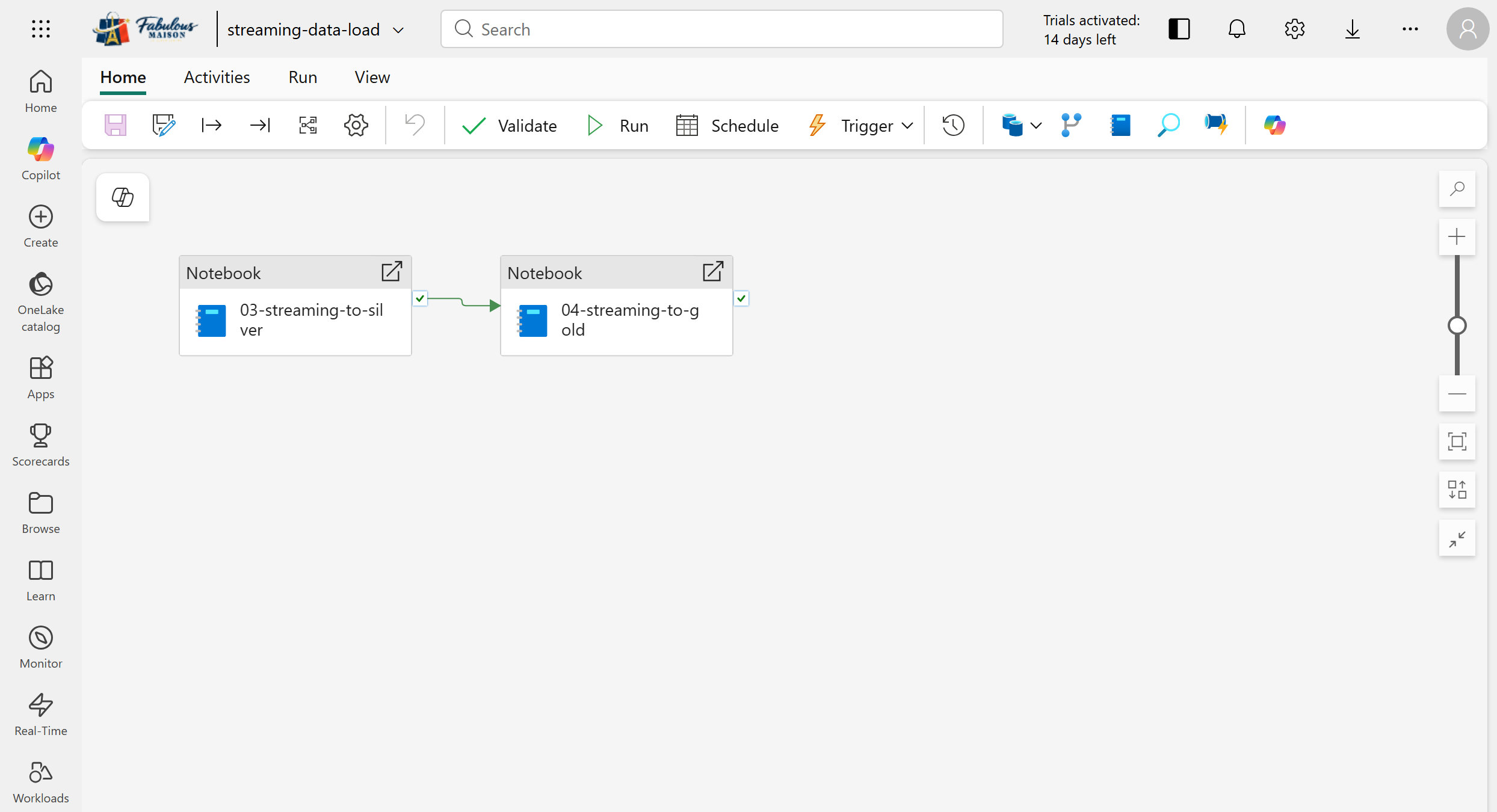
The streaming pipeline sequences 03-streaming-to-silver before
04-streaming-to-gold.
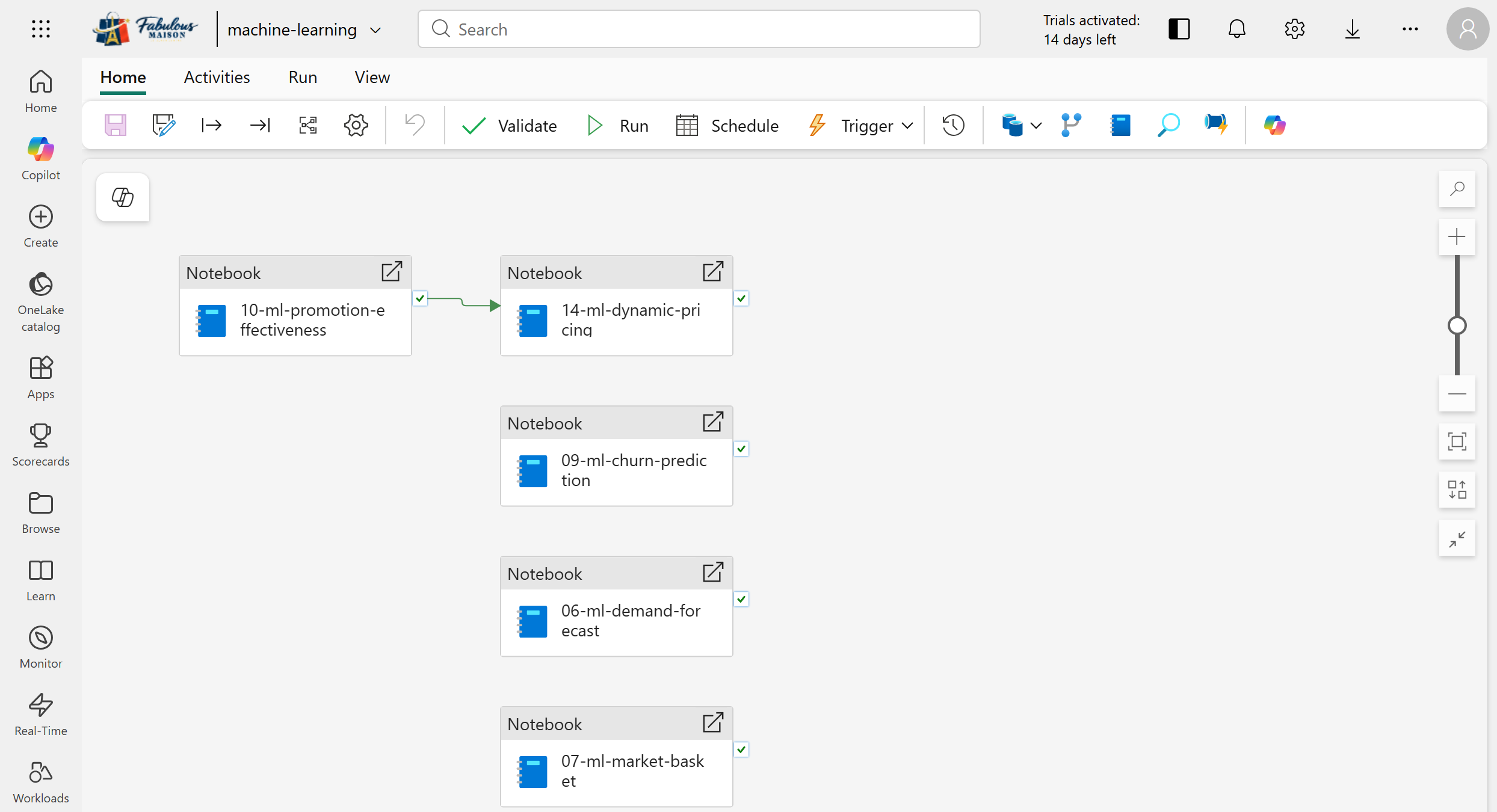
This legacy screenshot shows the former combined canvas. Current deployments separate required, optional, and experimental ML pipelines so extended-model failures cannot block Reporting.
In a current workspace, ml-required, ml-optional, and ml-experimental
appear as separate pipelines. Use the screenshot only to explain the general
notebook sequence.
The pipeline canvas shows orchestration order. Use the Run history and activity output, not the presence of a green dependency arrow, as execution evidence.
2. Inspect a transformation notebook
Open the Spark Notebooks folder, then open
03-streaming-to-silver.
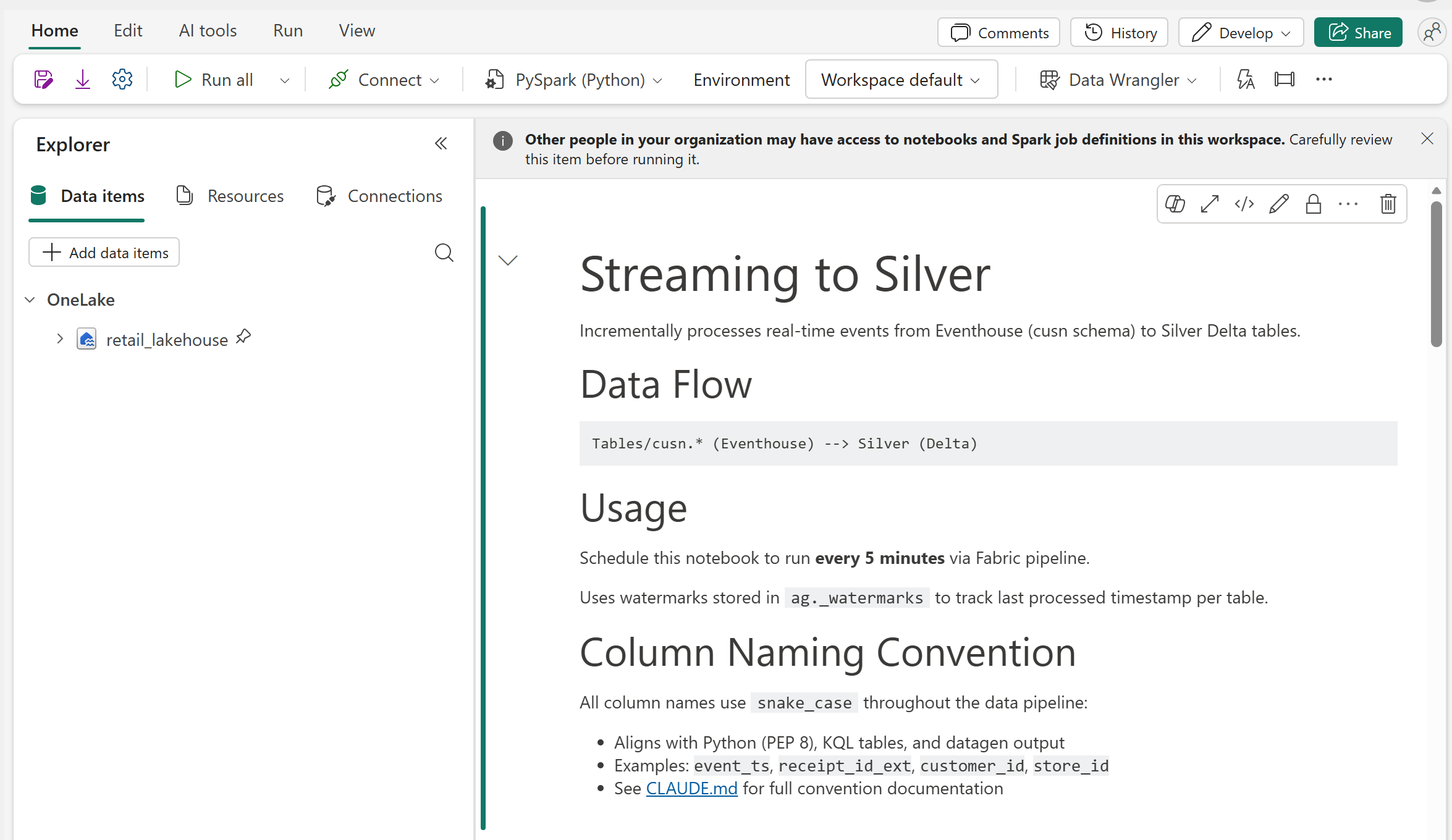
The notebook explains how new Eventhouse rows are moved into cleaned Silver tables, how it remembers the last processed event, and why column names use lowercase words separated by underscores.
Use the notebook header to explain the transform without scrolling through implementation details. Do not run the notebook until its Lakehouse binding and source tables have been verified.
3. Inspect durable Lakehouse history
- Open
retail_lakehouse. - Expand Tables, then the
agschema. - Select
fact_receipts.
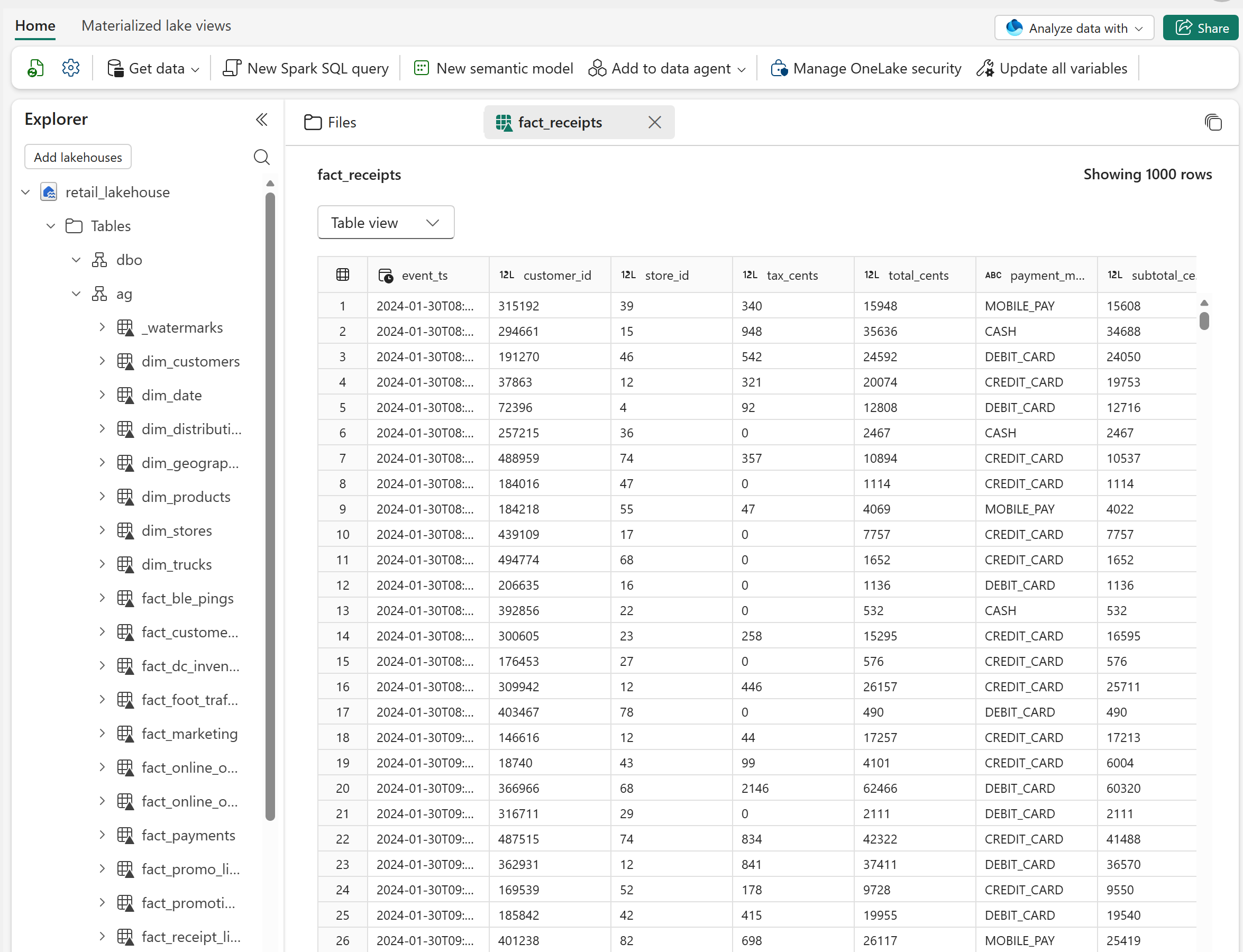
The Lakehouse explorer shows the Silver ag.fact_receipts table and a row
preview from the generated historical dataset.
Point out:
agcontains cleaned, typed Silver dimensions and facts.aucontains business-ready Gold summaries used for analytics.fact_receiptsprovides durable receipt-grain history.- The preview demonstrates shape and content, not current operational freshness.
Use the authoritative historical data contract when explaining table ownership and columns.
4. Inspect the Eventhouse hot path
- Open the KQL (Kusto Query Language) queryset or KQL Workbench.
- Confirm that the Eventhouse database appears in Explorer.
- Review the numbered table, mapping, function, and materialized-view tabs.
- Select
04-create-materialized-viewsto explain bounded hot-path aggregations.
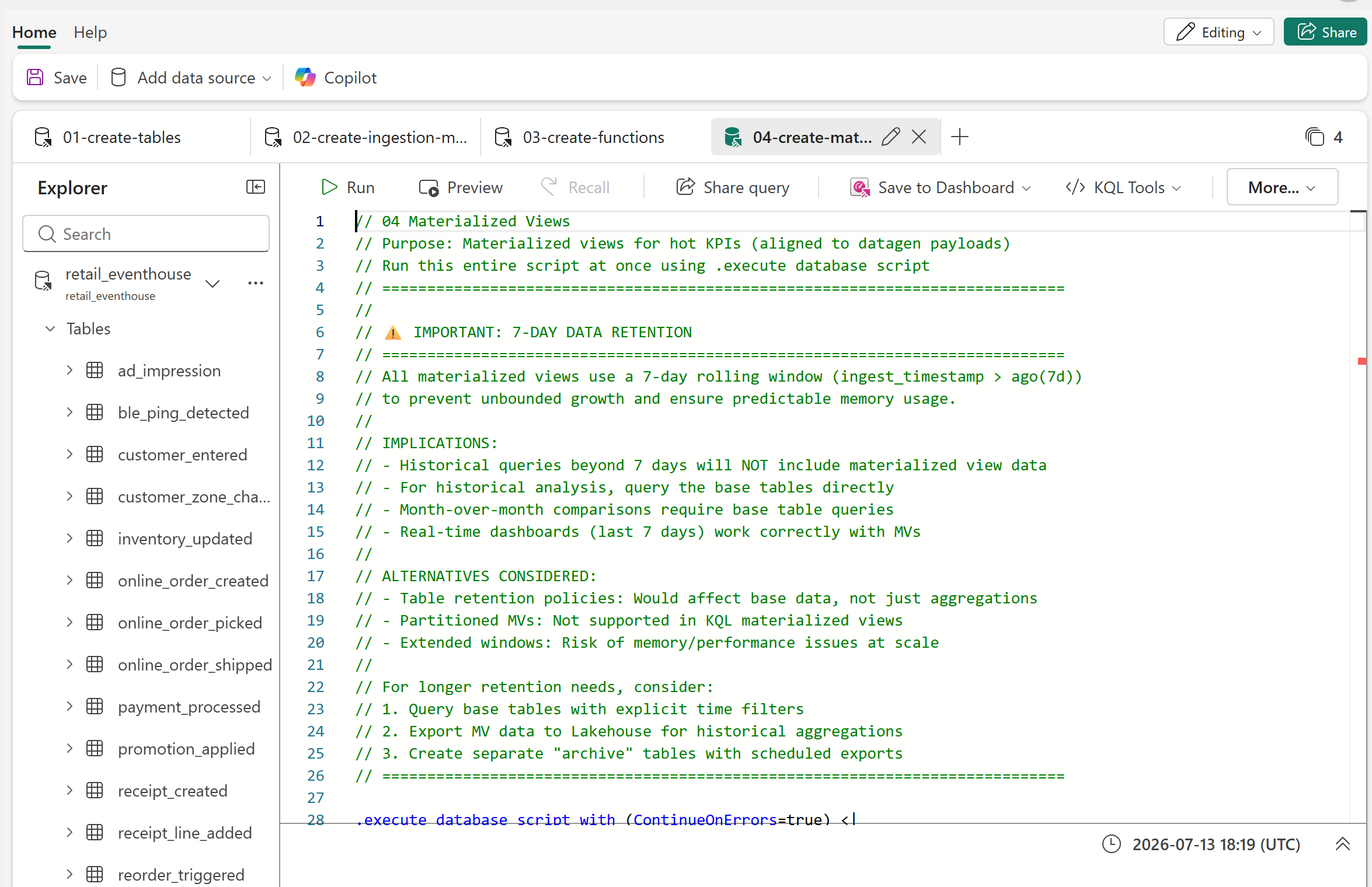
The KQL explorer lists typed event tables while the selected script defines materialized views for recent operational KPIs.
For live evidence, run a read-only query against a recent window:
receipt_created
| where ingest_timestamp > ago(10m)
| project ingest_timestamp, store_id, receipt_id, total
| order by ingest_timestamp desc
| take 10
Recent rows prove that Eventhouse ingestion is active. If the query is empty, show the schema and last known data timestamp, then follow the operations guide instead of claiming that the stream is live. Do not run the numbered deployment scripts during a presentation.
Data-platform validation
| Interaction | Expected result |
|---|---|
Open streaming-data-load |
The Silver notebook precedes the Gold notebook in the pipeline canvas. |
Open 03-streaming-to-silver |
The notebook identifies Eventhouse sources, Silver targets, and watermark-based processing. |
Select ag.fact_receipts |
The Lakehouse explorer shows the table schema and a row preview after historical setup. |
| Run the recent receipt query | Rows have recent ingest_timestamp values when the optional stream is active. |
Continue with Analytics and AI.